With digital transactions rising rapidly, device takeover frauds have surged too. Hackers exploit malicious apps that secretly attack your phone. These apps usually steal your personal information, such as banking details, passwords, credit card numbers, and more.
This can lead to account takeover and expose you to identity or financial fraud. Read more to understand how these apps get on your device and how to get rid of them.
How Fraudsters Get You to Download Malicious Apps for a Device Takeover
Despite technological advancements in device security, hackers are constantly finding new ways to bypass defenses. Scammers try to trick you into clicking harmful links that compromise your device’s security.
Here are their common tactics:
- SMS: If you received a message promising unrealistic rewards or offers, do not click that link. It may silently install malware that steals your information.
- Via Pop-ups: When you see pop-ups claiming your device is infected by viruses, this can be a way to get you to click on the banner. Clicking on it can infect your phone. Avoid all suspicious pop-ups!
- Via Calls Hackers: may misrepresent themselves as executives from finance companies or other organisations on a phone call and ask you to download an app. This app can steal your personal data. Hang up, block, and report the number.
- Via Emails: Emails with too-good-to-be-true offers may have hidden malware. Check sender details and never click suspicious links.
- Via WhatsApp or Telegram: Fraudsters may send malicious Android APK files through WhatsApp or Telegram. Once installed, these apps can steal banking credentials, OTPs, contacts, and personal data.
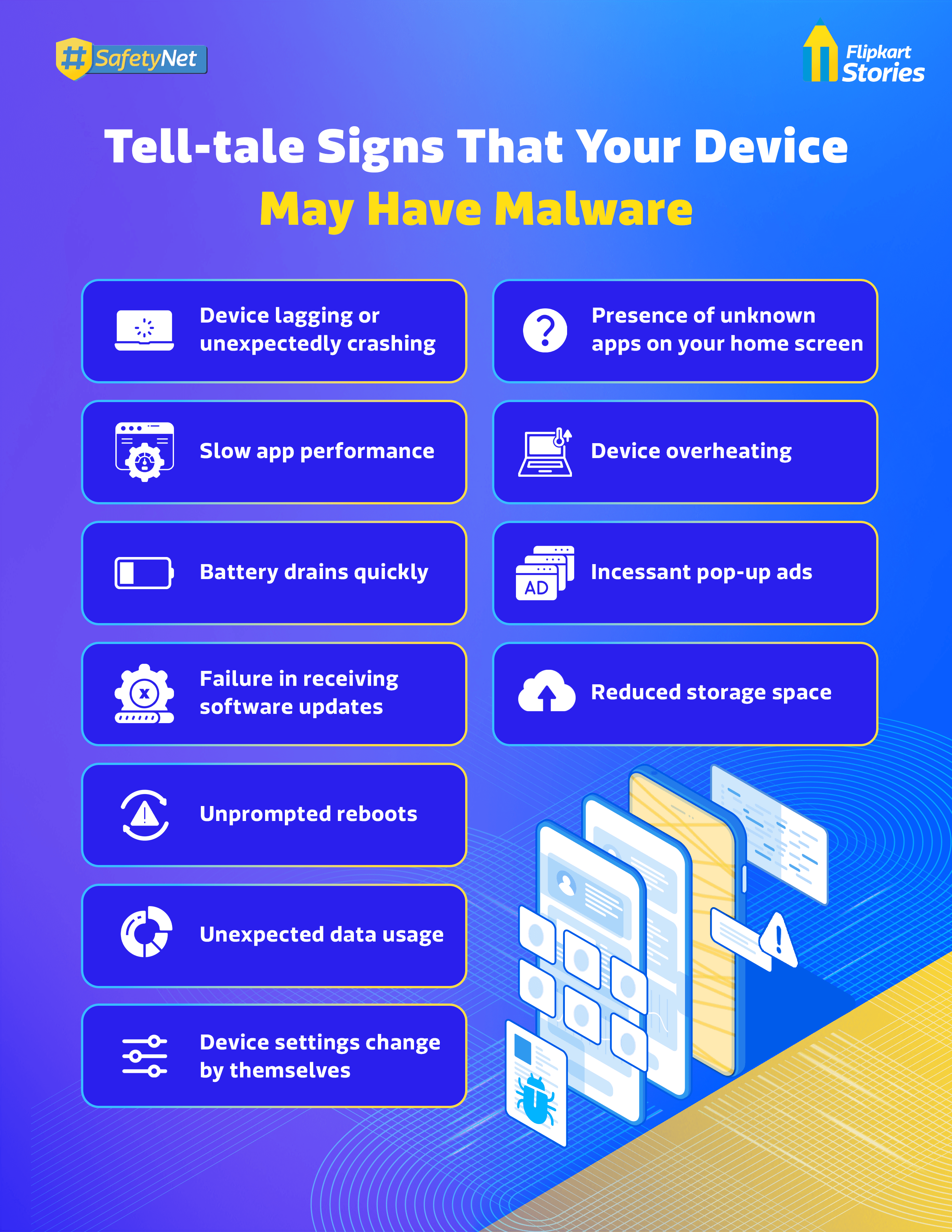
How to Remove Malicious Apps from Your Device
Once you notice signs of a device takeover, the best way to protect yourself is to get rid of the malicious app or malware. Knowing these tips can help you take action quickly.
- Delete the malicious app, including any that you do not remember downloading
- Clear your cache on the browser you use frequently
- Clear your downloads from the browsers on your device
- Get a proper antivirus or cybersecurity program
- Reboot your device in safe mode
- Perform a factory reset if the problem persists
However, note that a factory reset erases all data. To avoid reinfection, scan backups with an antivirus before restoring.
Tips To Prevent Device Takeover Via Malicious Apps
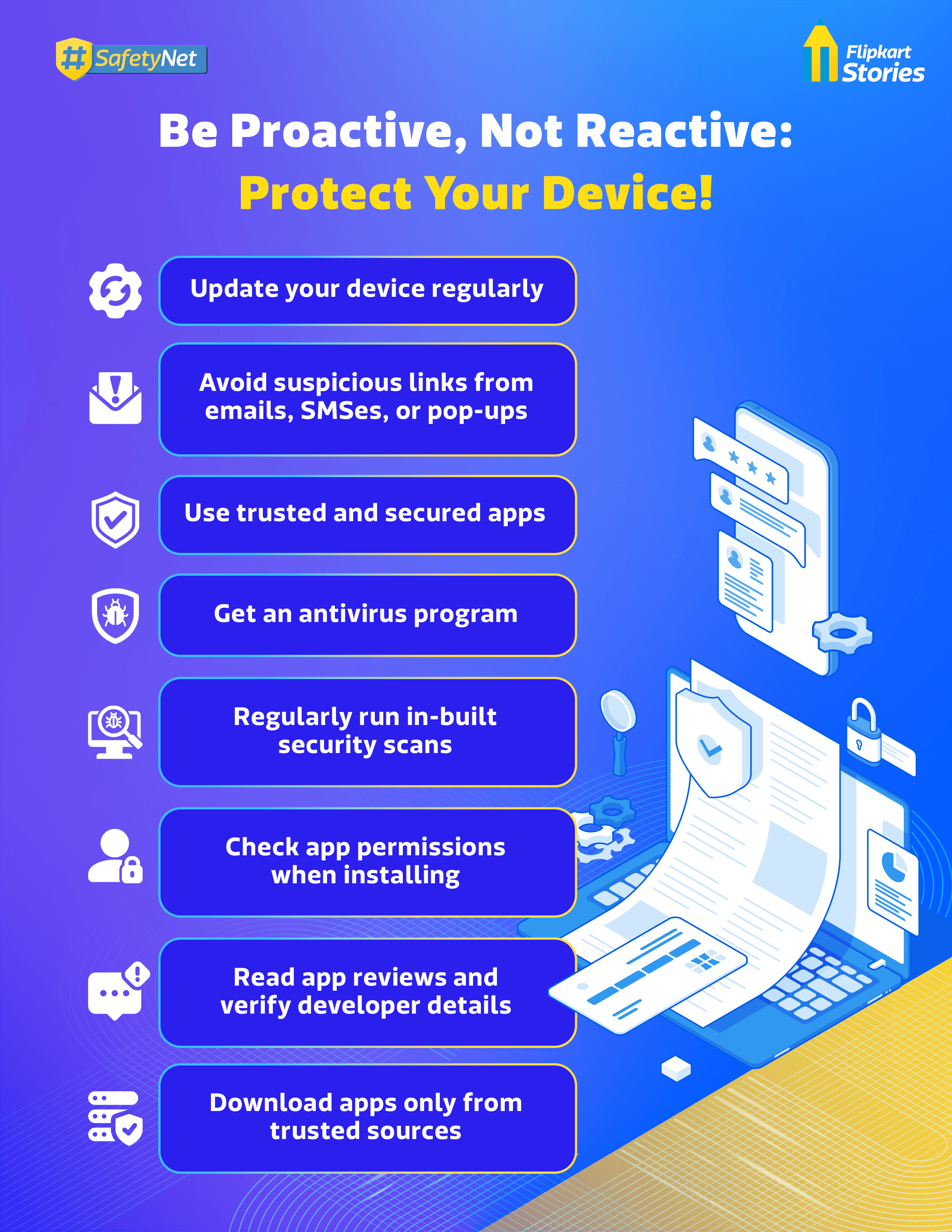
While getting rid of malware is possible, it may be too late in some cases, and you may have already lost some of your data. The best way to prevent device takeover is to be proactive.
Malicious apps work in the background, but you can prevent them from compromising your safety. Be proactive by spotting red flags. Never install apps sent as attachments or downloaded outside official platforms such as the Google Play Store or Apple App Store.
Never share your password, OTP, PIN, or credit card CVV with anyone. Genuine customer service representatives will not require these details.
Keep your account credentials private and avoid sharing login details with anyone claiming to offer customer support. By avoiding installing malware, you can prevent device takeover and shop safe every time.


